Codex Zone Gauge
KPIA semicircular gauge with configurable danger, warning, and success zones.
Overview
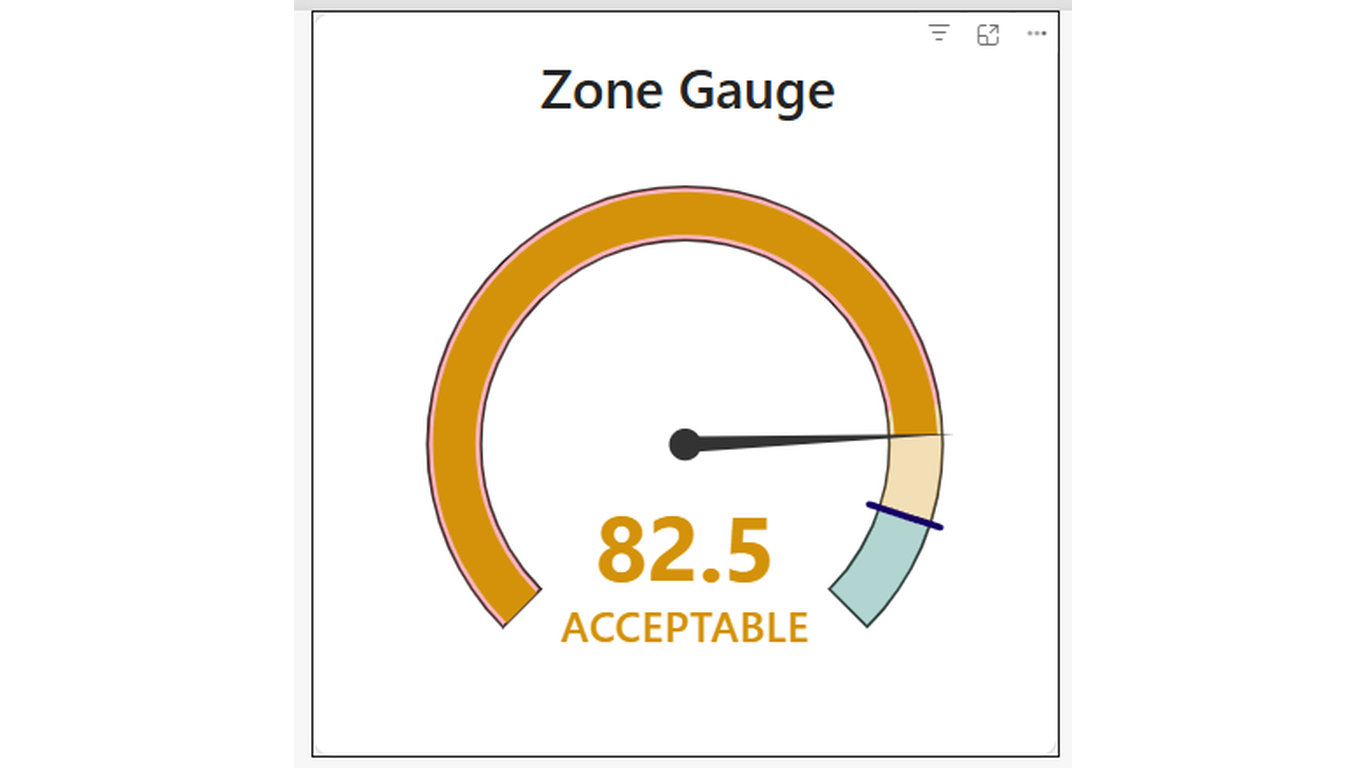
Know your zone instantly. Codex Zone Gauge renders a semicircular arc divided into three colour-coded zones — red (danger), amber (warning), and green (success). The animated needle points to the current value, and an optional target marker shows where you need to be.
Ideal For
- Operational dashboards — capacity utilisation, SLA compliance, defect rate
- Financial KPIs — budget consumed, margin, or collection rate vs thresholds
- Quality and accuracy reporting with pass/fail zones
- Any single KPI where status matters more than the exact number
Key Features
- Three configurable colour zones: danger (red), warning (amber), success (green)
- Zone boundary thresholds driven by measures — change dynamically with filters
- Optional target marker line on the arc
- Animated needle that transitions smoothly when data updates
- Configurable min/max range — works for percentages, counts, or any unit
- Value displayed below the needle with configurable format
- Hover tooltip showing current value, zone name, and target
- Right-click context menu support
Pro Tip
Drive Zone 1 max and Zone 2 max from measures rather than hardcoding them in the format pane. This lets the thresholds shift with filters — useful when different products or regions have different performance benchmarks.
$1.99
/ user / month
Billed through Microsoft AppSource
Category
KPI
Tooltips
Cross-filtering
High Contrast