Codex Status Timeline
Coming soon ChartSee when resources moved between states.
See it in action
See each line's current state, how long it has lasted, and when it began.
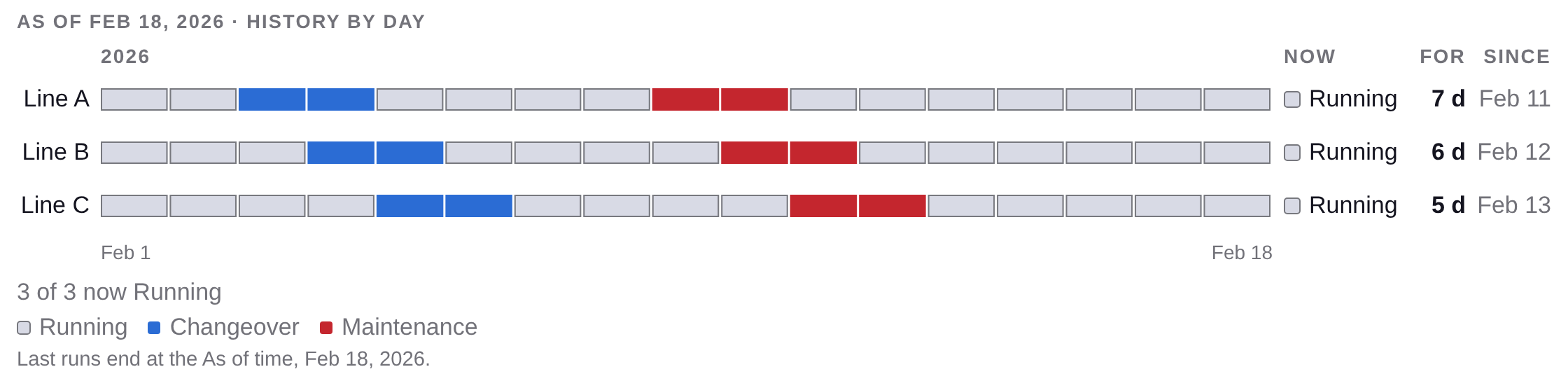
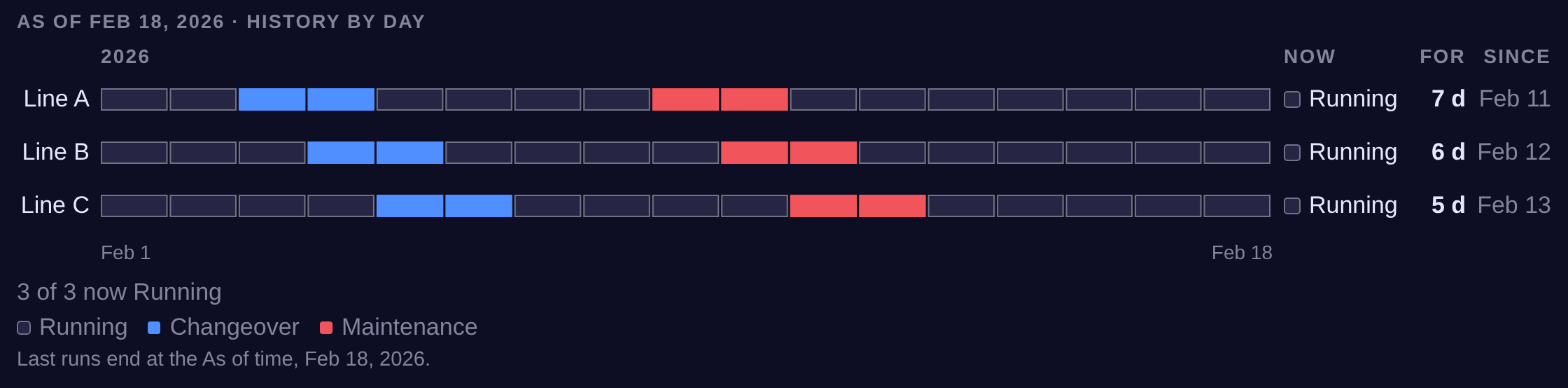
Compare changeover and maintenance runs, with weeks in each state shown by line.
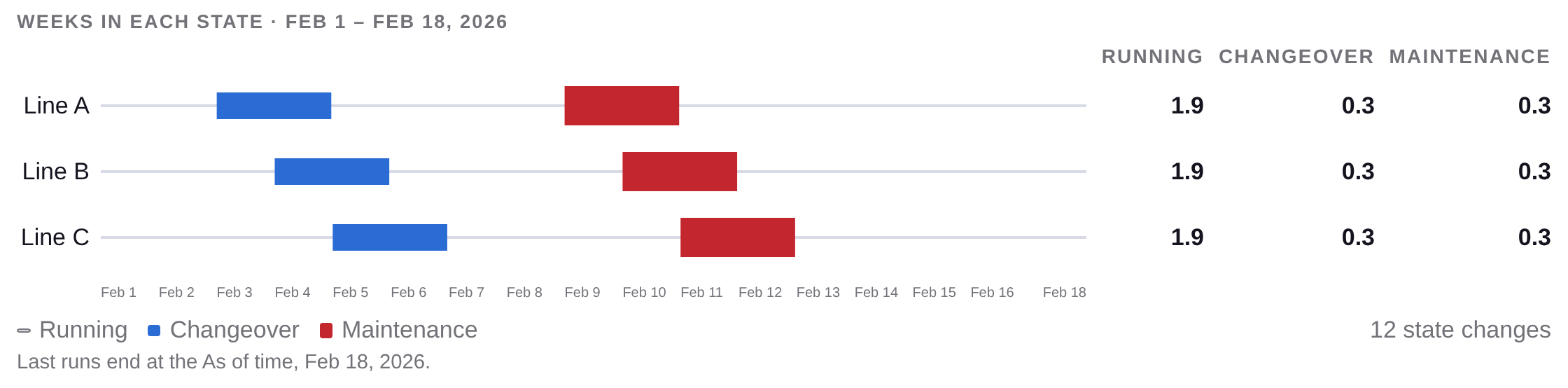
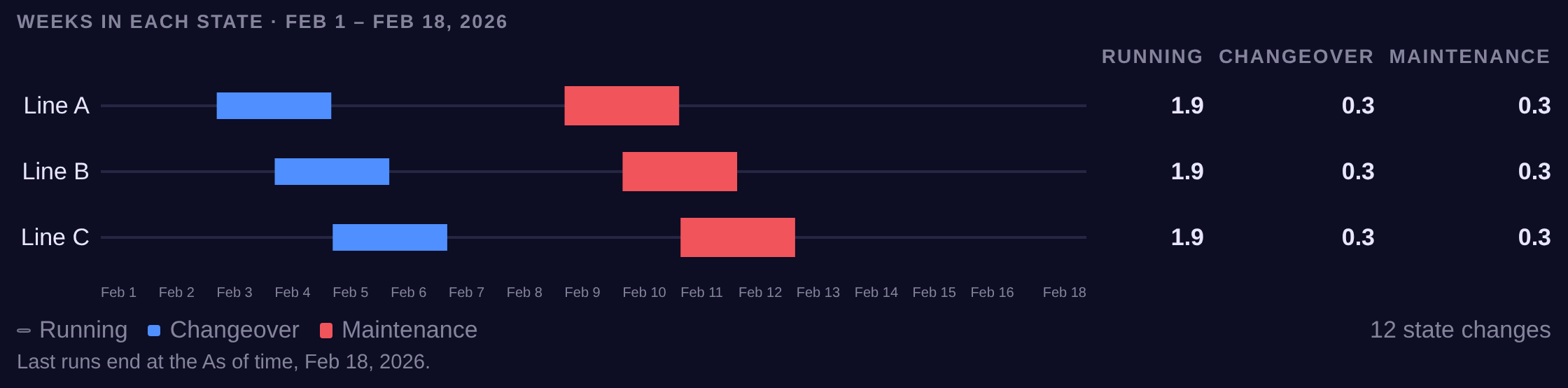
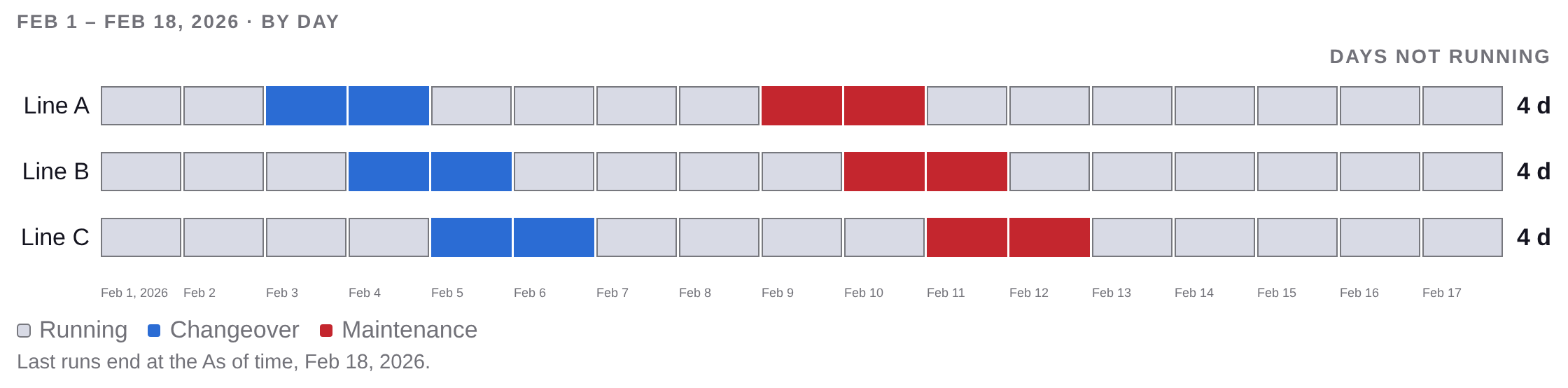
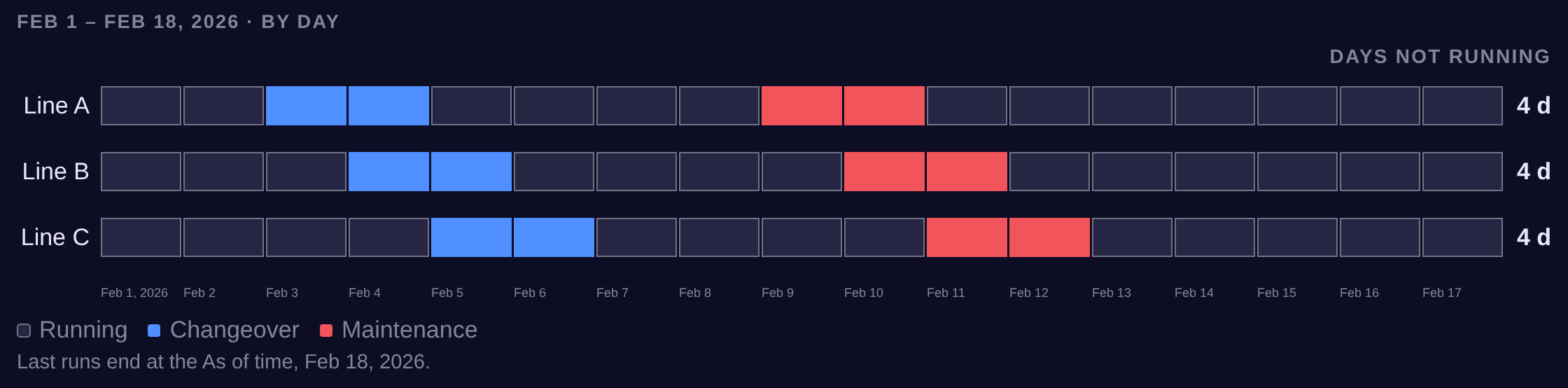
Scan daily status blocks and count days not running for each line.
Overview
Use one row per state change with a resource, a real timestamp and a state label. For an asset report, enter a new row when an asset moves between Running, Idle and Maintenance.
Ideal For
- See when resources moved between states.
Key Features
- Bind Resource, Timestamp, and State. Use State order for a deliberate legend order and As of when the report needs a defined cut-off.
- Start with a small date window, then compare when two resources entered or left the same state. Inspect the hover details before interpreting a short segment.
Use a Date/Time column rather than formatted text. Provide an unambiguous sequence if a resource has conflicting states at the same timestamp.
Help guide
What goes in each field
| Field well | Put in | Required | What it does |
|---|---|---|---|
| Resource | Column | Yes | One lane for each asset, team, job or other tracked item. |
| Timestamp | Date/Time column | Yes | When the new state started. Use a real timestamp, not its formatted label. |
| State | Column | Yes | The new status after the event. |
| State order | Numeric field | No | A deliberate order for status categories. |
| As of | Date/Time value | No | A fixed cut-off for the last run. Useful for frozen snapshots and reproducible reports. |
| Tooltips | Fields | No | Context such as reason code or work order. |
Prepare event data
Use a change log, not a summary of how many events occurred. One row opens the next state for that resource; a later event can end it. A gap between rows is not necessarily downtime. Example event rows:
| Resource | Timestamp | State |
|---|---|---|
| Line A | 1 Feb 2026, 00:00 | Running |
| Line A | 3 Feb 2026, 00:00 | Changeover |
| Line A | 5 Feb 2026, 00:00 | Running |
Normalise the time zone in the model before combining sites. When a resource has different states at the same timestamp, reconcile the source sequence upstream rather than relying on a visual to guess. Preserve an opening state for a reporting window that begins between events, then check it in the visual.
Put it together
- Bind your resource, timestamp and state fields to their matching roles. Start with a few resources and inspect the run start and end in the tooltip.
- Add As of if the report needs a specific cut-off rather than an implied current endpoint.
- In Status timeline → Style, try Block strips to scan a day-by-day pattern, Runs and state totals to compare spans, or Current state board to pair history with current state.
- Choose a time grain and duration unit suited to your data. For a shift log, daily blocks alone may hide short changes that matter.
Walk through the sample
The 18 February snapshot shows Lines A, B and C all Running. Current state board shows their current runs as 7, 6 and 5 days respectively. Block strips shows four days not running for each line in the sample window. Runs and state totals shows 12 state changes across the three lines. The values answer different questions: a line can be running now and still have had interruptions earlier in the window.
Tips and troubleshooting
- Last run continues past the report date: inspect As of and the timestamp type. A consistent cut-off makes refresh-to-refresh comparisons possible.
- A lane starts later than expected: the filter may have removed the event establishing its opening state. Review the source rows for that resource as well as the displayed interval.
- The same state has multiple colours or entries: standardise spelling and case before it reaches the visual. Apply state ordering consistently if the meaning is fixed.
- The chart is hard to read: begin with fewer lanes or a narrower time window. Use Labels for font size and switch to Runs and state totals when you need to inspect individual changes.
For help, contact Nexus Codex support.
Planned launch pricing
US$1.89 per user/month
1–19 seats · not available to buy yet
See planned volume pricing
| Seats | Monthly | Annual |
|---|---|---|
| 1–19 | $1.89 | $18.90 |
| 20–99 | $0.95 | $9.50 |
| 100–499 | $0.37 | $3.70 |
| 500–999 | $0.19 | $1.90 |
| 1,000–4,999 | $0.13 | $1.30 |
| 5,000–10,000 | $0.057 | $0.57 |