Codex KPI Driver Tree
Coming soon ChartTrace a KPI from its total to the teams or measures behind it.
See it in action
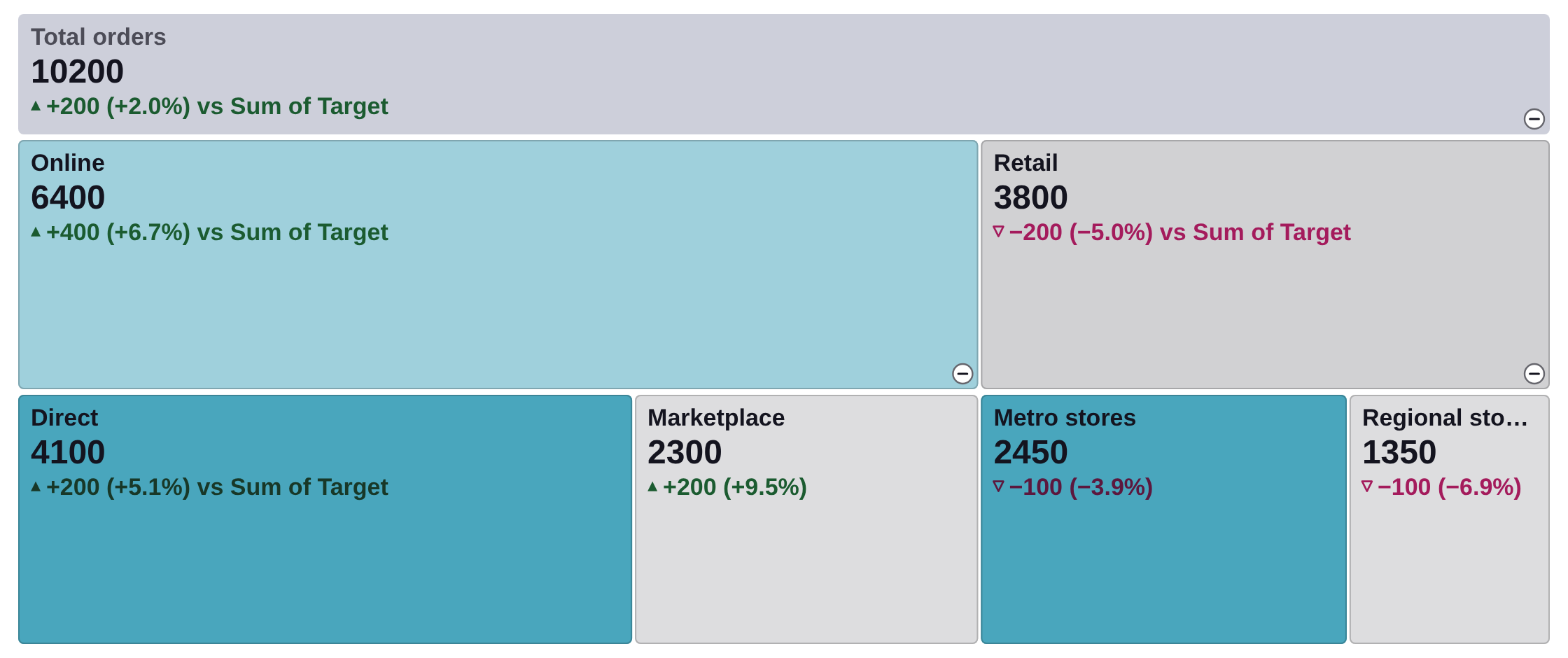
Follow total orders through Online and Retail to the individual channels.
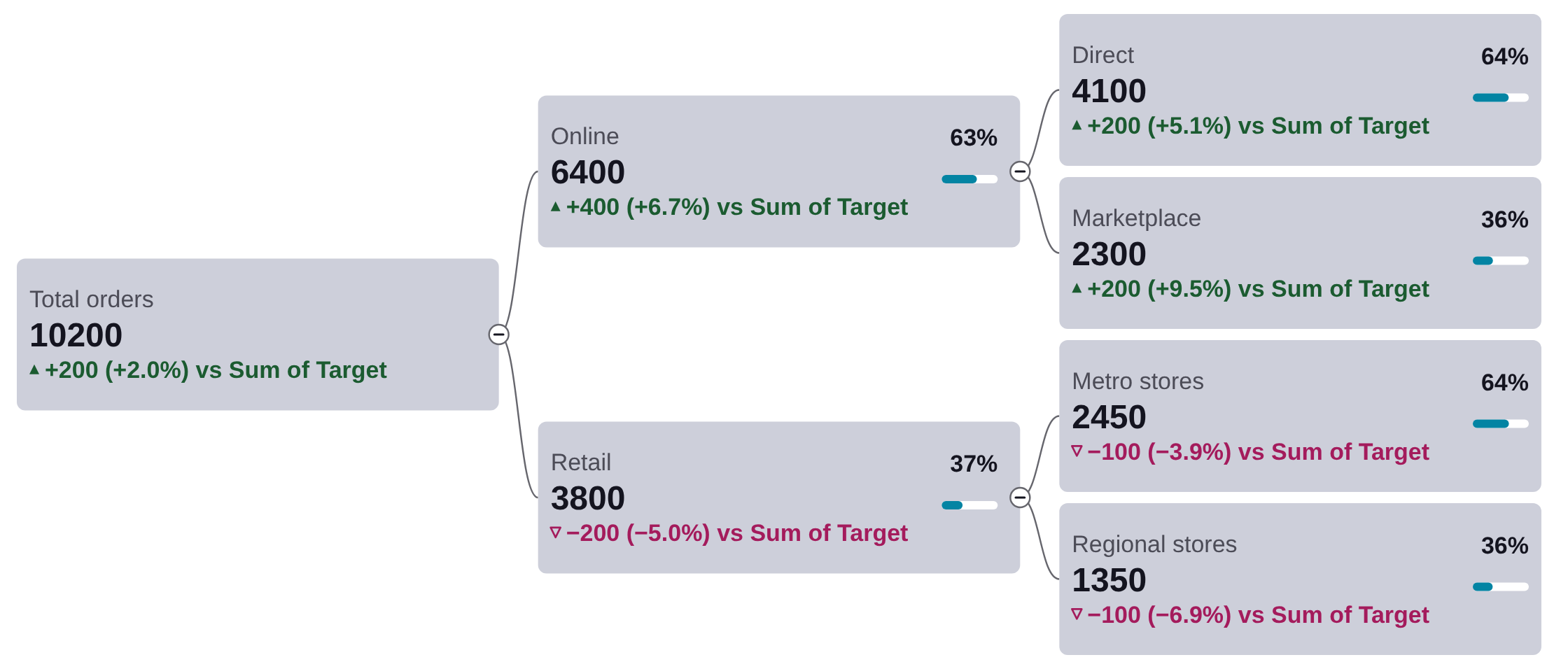
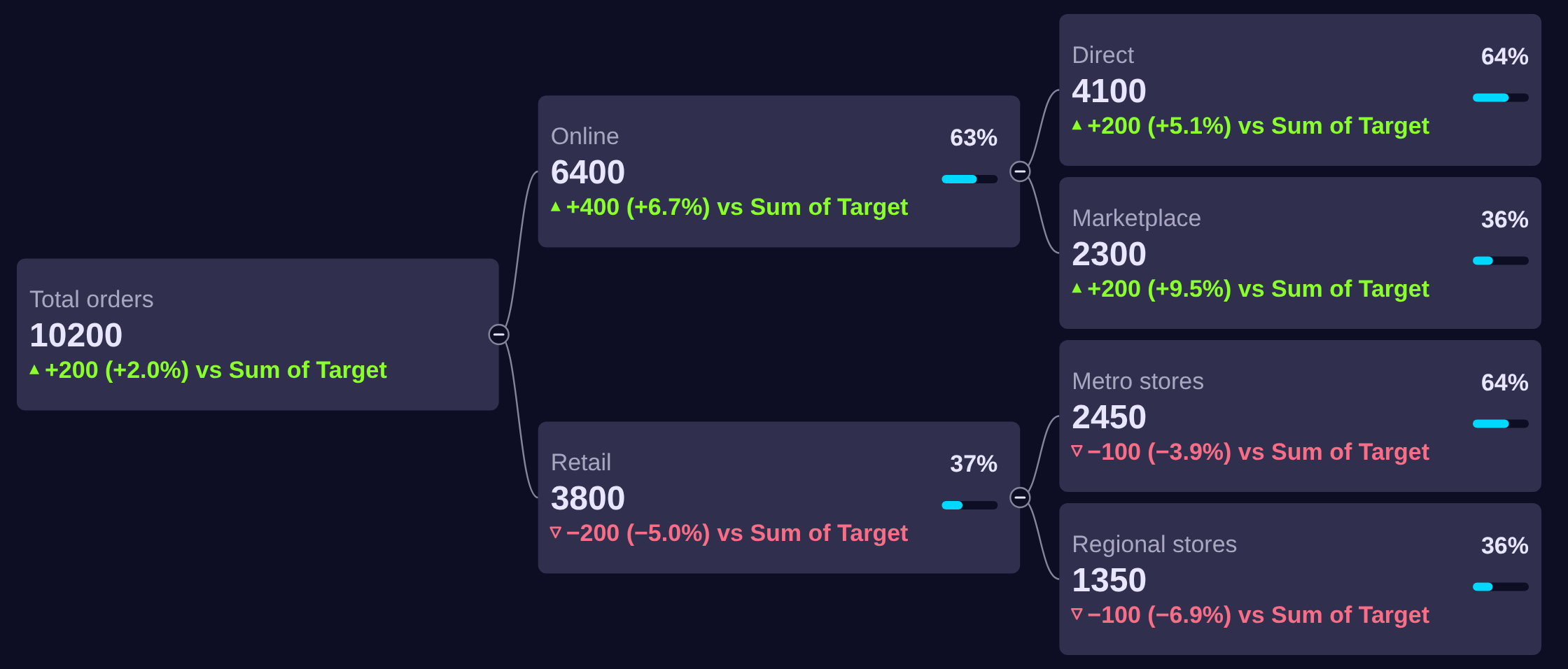
See how branches combine in a top-down driver map.
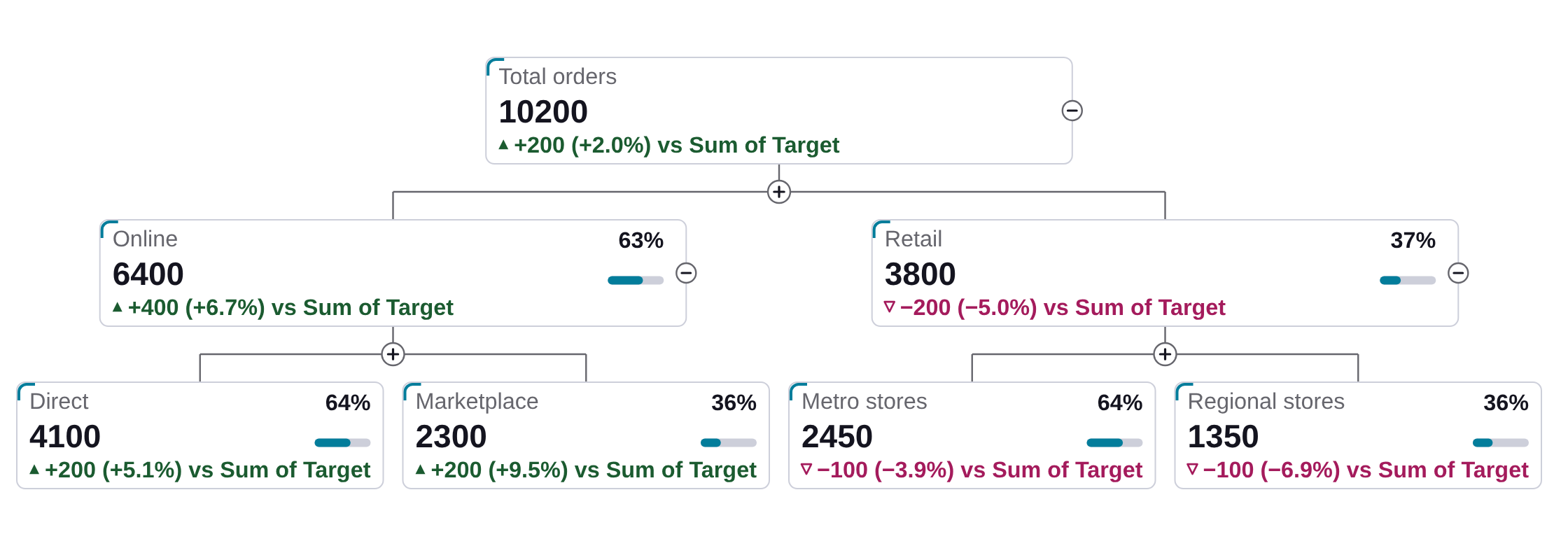
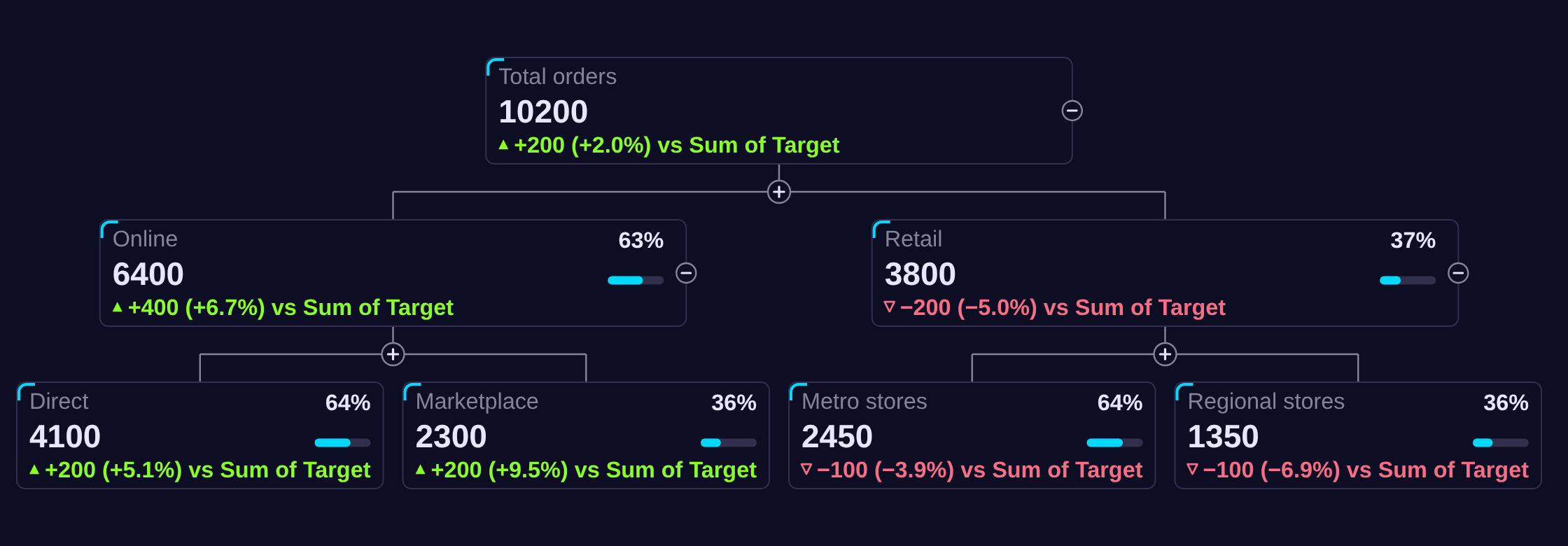
Compare relative contributions with blocks sized by value.
Overview
Build a parent-child table with one row per node, a unique node ID and the corresponding parent ID. For the orders example, Online and Retail both sit below Total orders.
Ideal For
- Trace a KPI from its total to the teams or measures behind it.
Key Features
- Bind Node, Parent, Label, and Value. Add Comparison for a target or baseline, Direction when lower is better, and Sort to control sibling order.
- Start at the root and expand one branch. Compare the value and baseline before following the largest variance into its children.
Use unique IDs rather than labels for relationships. Keep the root's parent blank and check for missing parent IDs or loops if a branch does not appear.
Help guide
What goes in each field
| Field well | Put in | Required | What it does |
|---|---|---|---|
| Node | Column | Yes | A stable, unique ID per node. |
| Parent | Column | Yes for a hierarchy | The immediate parent's ID. Leave the root's Parent blank. |
| Label | Column | Recommended | The readable business name for each node. Keep the ID separate. |
| Value | Measure | Yes | The metric you want on that node. |
| Comparison | Measure | No | The target or baseline at the same node grain. |
| Direction | Field | No | A per-node override for which direction is favourable. |
| Sort | Numeric field | No | Controls the order of siblings. |
| Operator, Tooltips | Fields | No | Supply group context or extra detail when useful; they're not substitutes for the node relationship. |
Prepare the hierarchy
Create one row per node. Use the same ID data type in Node and Parent. For example:
| Node | Parent | Label |
|---|---|---|
| ORD | Total orders | |
| ON | ORD | Online |
| RET | ORD | Retail |
| DIRECT | ON | Direct |
| MARKET | ON | Marketplace |
Give each row the measure intended for that node. A stored parent value and its child values may all appear on screen, but do not sum all visible nodes to compute the total again. For a table already at one row per node, a simple starting measure is:
Node result = SUM ( DriverSample[Actual] )
In your own report, use a measure that returns the correct value at node grain. If targets live in another table, verify that the node filter reaches that target table before binding Comparison.
Put it together
- Add Node, Parent, Label and Value. Check the root and the first level before adding depth.
- Bind Comparison to see the amount and direction of differences. Use Direction or the Variance settings when lower is better, such as for operating costs.
- Start with Branch cards for a readable drill path. Try Sum and product drivers to tell a parent-child story, or To-scale icicle to compare area.
- In Tree, set the initial depth and ordering so the first view opens where readers need it. Expand individual branches when investigating.
Walk through the sample
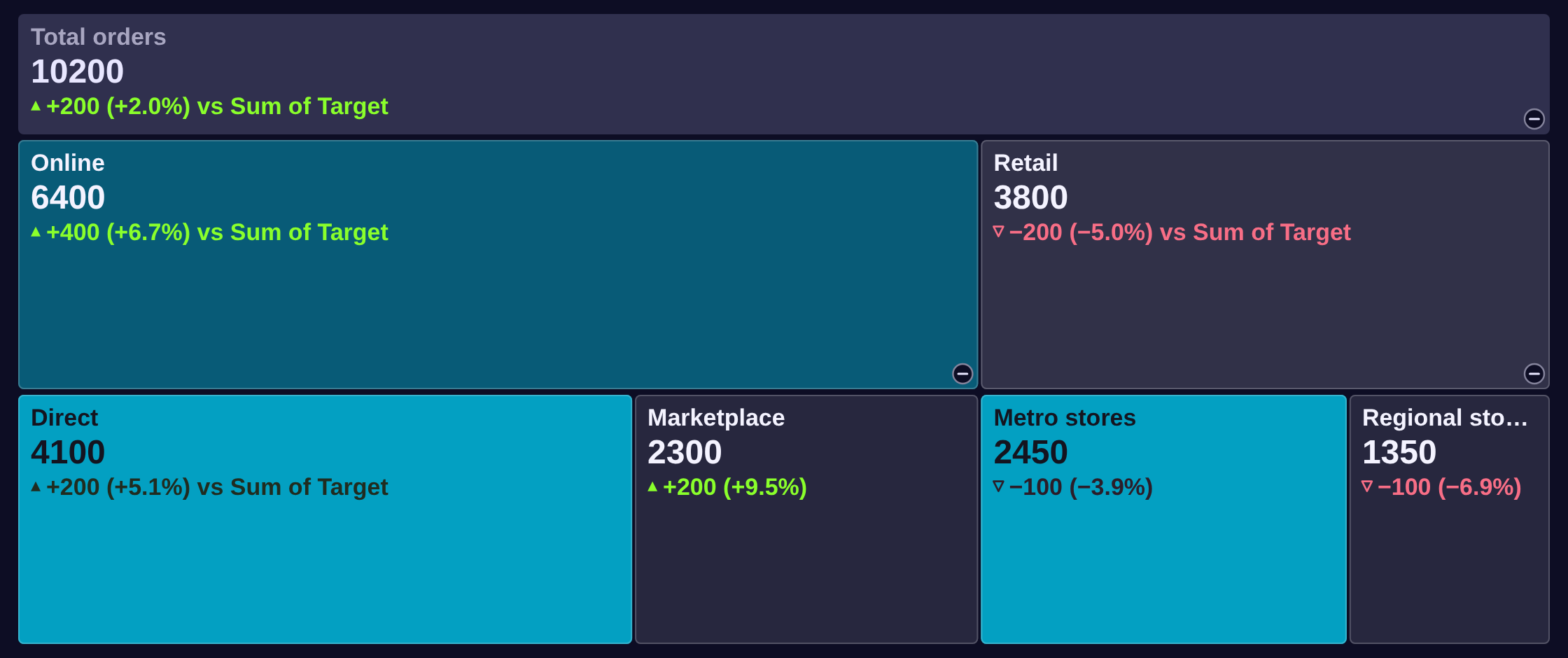
Total orders is 10,200 against 10,000. Online is 6,400 vs 6,000, but Retail is 3,800 vs 4,000. Expand Online to see Direct (4,100) and Marketplace (2,300); expand Retail for Metro stores (2,450) and Regional stores (1,350). The positive total doesn't mean every branch is ahead of target.
Tips and troubleshooting
- A branch is missing: check blank, duplicate or cyclic IDs and parents that are filtered out. Keep the root's parent blank and use IDs, not display labels, for relationships.
- A share surprises you: inspect the parent and the grouping option before comparing percentages. A branch share and a share of the overall total are different questions.
- Cards are too dense: reduce initial depth or increase the label and value sizes in Labels and values, then inspect the visual at the report's intended size.
- A green variance is the wrong signal: check the chosen better direction before drawing a conclusion. A positive cost variance can be unfavourable.
For help, contact Nexus Codex support.
Planned launch pricing
US$1.79 per user/month
1–19 seats · not available to buy yet
See planned volume pricing
| Seats | Monthly | Annual |
|---|---|---|
| 1–19 | $1.79 | $17.90 |
| 20–99 | $0.90 | $9.00 |
| 100–499 | $0.35 | $3.50 |
| 500–999 | $0.18 | $1.80 |
| 1,000–4,999 | $0.12 | $1.20 |
| 5,000–10,000 | $0.054 | $0.54 |