Codex Slicer Bar
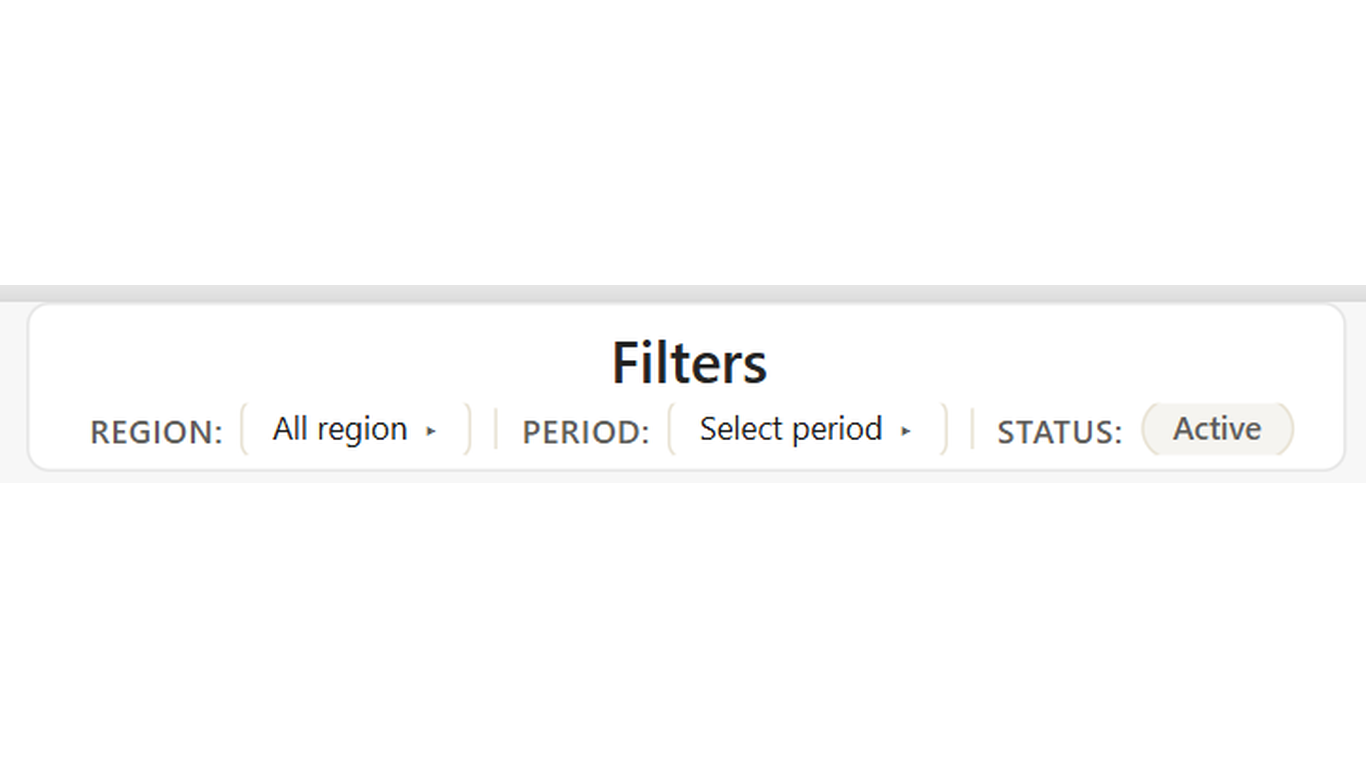
FilterReplace multiple slicer visuals with one compact, horizontal filter bar.
Overview
One filter bar. Every slicer. Zero visual clutter. Codex Slicer Bar consolidates multiple filter controls into a single horizontal bar at the top of the page. Each filter group is configured via a data table — defining the labels, filter targets, display mode, and selection mode.
Ideal For
- Multi-page reports where the same filter set appears on every page
- Executive dashboards that need a clean, branded filter experience
- Pages with period, region, and status filters that currently use three separate slicers
- Any report where the native slicer visuals are taking too much canvas space
Key Features
- Single visual replaces multiple slicer instances across the page
- Dropdown mode for period selection with short label as a subtitle
- Chips mode for multi-select filters like region or product category
- Default value configuration — which option is selected on first load
- Filter target via 'Table.Column' format — drives actual Power BI filtering
- Sort order measure for controlling item sequence within each group
- Fully config-table driven — update filter options by changing data, not visual settings
- Sync across all pages using Power BI's sync slicers feature
Pro Tip
Sync this visual across all pages using Power BI's sync slicers feature (View > Sync slicers). Because all filter configuration lives in a single SlicerBarConfig table, you only need to update one place when filter options change.
$1.99
/ user / month
Billed through Microsoft AppSource
Category
Filter
Tooltips
Cross-filtering
High Contrast